How to set up Meta CAPI for lead generation forms
How to send lead generation form submissions to Meta through the Conversions API with eventId deduplication, hashed user data and consent-aware tracking.
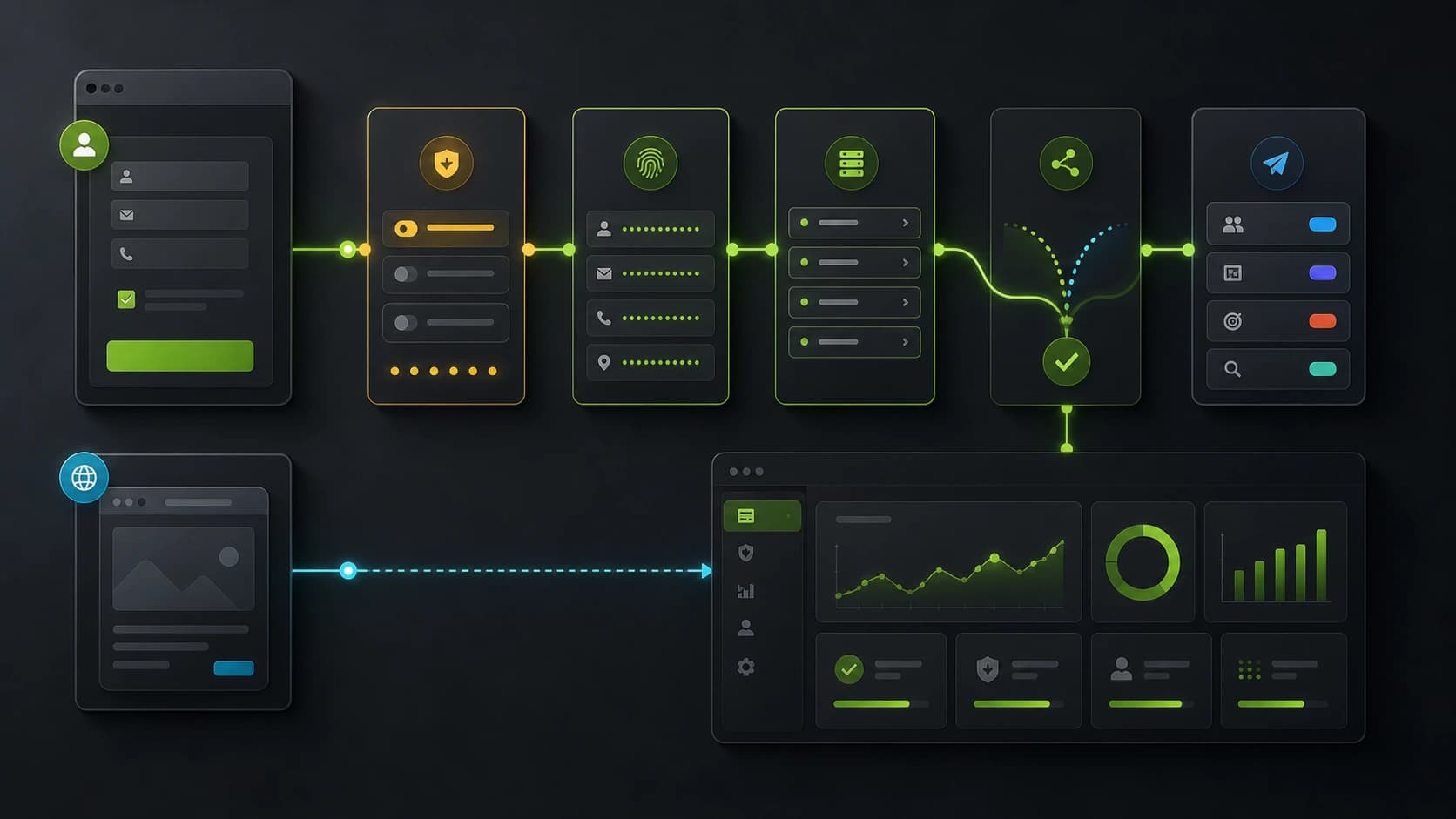
If you run Meta Ads to a form, the Conversions API (CAPI) is increasingly important for many paid lead-gen setups. Browser tracking can be unreliable because of cookie restrictions, browser privacy controls, ad blockers and mobile connectivity. The usual fix is to send the same Lead event server-side, deduplicated against the Pixel — which is exactly what CAPI is for.
This is a practical walkthrough of how a CAPI Lead event should look when a form submits, what to hash, what to deduplicate, and where most implementations get it wrong.
For the broader tracking architecture, read how to set up server-side tracking for lead generation.
Why server-side, even if you have the Pixel
The Pixel fires from the browser, so some events can be missed because of ad blockers, browser privacy controls, cookie restrictions or partial connectivity on mobile. CAPI fires from your backend, so the conversion signal is less dependent on the visitor's browser environment.
When both run at once, Meta needs a way to know they describe the same event — otherwise you double-count. That's the job of event_id: a unique identifier you generate client-side, send to the Pixel as eventID, and forward server-side as event_id. Meta merges the pair on its side. You get coverage without inflation.
What a Lead event needs
A well-formed Lead event sent to CAPI has, at minimum:
event_name:"Lead"event_time: a Unix timestamp (within the last 7 days, ideally within seconds of the actual event)event_id: the same string you sent to the Pixelaction_source:"website"event_source_url: the URL where the lead converted (for attribution)user_data: hashed PII (emfor email,phfor phone, plusfbp,fbc,client_ip_address,client_user_agent)custom_data(optional but useful): currency, value, content_name, lead_qualification
em and ph must be SHA-256 hashed lowercase strings, with the email trimmed and the phone stripped of non-digits and prefixed with the country code. fbp is the cookie value _fbp (browser ID Meta sets). fbc comes from the fbclid query parameter on the landing — when present, you should rebuild it as fb.1.<timestamp>.<fbclid> and persist it for the session.
Deduplication: where most implementations fail
The single biggest mistake is generating two different event_ids for the Pixel and the CAPI call. The duplicate ends up counted twice in attribution, distorting your bid strategy. The rule is simple:
- Generate one UUID per form submission, client-side.
- Pass it to the Pixel as
eventIDin thefbq('track', 'Lead', {}, { eventID })call. - Send it to your server in the same submission payload.
- Forward it to CAPI as
event_id.
If your form defers the Pixel call (e.g., fires only on a thank-you page), the event_id must still match. Use the form's stable submission ID — never regenerate.
A separate failure mode: the same form gets posted twice (browser refresh, double-submit). Idempotency belongs on your server, not Meta's. Reject duplicates before forwarding to CAPI.
Hashing and consent
Meta requires SHA-256 of normalized values. Normalization is non-trivial in some markets:
- Email: trim, lowercase, then SHA-256.
- Phone: strip everything but digits, prepend country code if missing, then SHA-256.
- Names, city, country: lowercase, no punctuation, SHA-256.
Critically: you should only hash and send what the user consented to share. Under GDPR, sending hashed PII to a third party (Meta) for ad measurement requires consent. The hash doesn't make the data anonymous — Meta has the same hash for the same email across millions of accounts, so it joins the dot. Your CAPI integration must read consent state and fall back to event-only (without user_data) when consent is denied.
A typical request body
{
  "data": [
    {
      "event_name": "Lead",
      "event_time": 1745596800,
      "event_id": "9e1b6b8a-6c0e-4f8d-bce1-c4a3a6f4d2b1",
      "action_source": "website",
      "event_source_url": "https://example.com/funnel/quote",
      "user_data": {
        "em": ["e3b0c44298fc1c149afbf4c8996fb924..."],
        "ph": ["7d793037a0760186574b0282f2f435e7..."],
        "fbp": "fb.1.1745596779000.1234567890",
        "fbc": "fb.1.1745596700000.IwAR0abcd1234",
        "client_ip_address": "203.0.113.42",
        "client_user_agent": "Mozilla/5.0 ..."
      },
      "custom_data": {
        "currency": "EUR",
        "value": 35.00,
        "content_name": "Quote request — solar"
      }
    }
  ]
}
POST it to https://graph.facebook.com/v22.0/<PIXEL_ID>/events?access_token=<SYSTEM_USER_TOKEN>.
Quality signals: aim for EMQ ≥ 6
Meta scores each event with an Event Match Quality (EMQ) score from 0 to 10. Higher EMQ = better attribution and more efficient bidding. Hit ≥ 6 reliably and you'll see Meta's optimizer behave noticeably better. The levers are:
- Always send
emandphwhen consented. - Always send
fbpandfbcwhen present. - Always include
client_ip_addressandclient_user_agent. - Send the event within seconds of the actual lead — not in batches an hour later.
A funnel that can send consented em + ph + fbp + fbc + ip + ua usually gives Meta more matching signals than a sparse event. Without fbc, match quality can be weaker — which is why capturing fbclid on the landing matters.
Meta CAPI lead generation checklist
Before launching a lead generation campaign with CAPI, verify:
- The form captures
fbclid, UTMs and landing page data. - The browser Pixel and server CAPI event share the same event ID.
- The server event fires only once per submitted lead.
- Hashed contact data is sent only when consent and policy allow it.
- The event includes
event_source_url, IP and user agent where appropriate. - Meta Events Manager shows the server event and deduplication status.
- The CRM stores qualification status so downstream quality can be measured.
If lead quality is the issue, pair CAPI with a better form. See how to improve Meta Ads lead quality with forms and CAPI.
How Fluenx handles this for you
Fluenx fires CAPI server-side on form submissions when the integration and consent state allow it, with event_id generated client-side and forwarded automatically. Hashing follows Meta's normalization, consent state is read from the cookie banner, and fbclid / gclid are captured on the landing without scripts on your side. Configure your Pixel ID and access token once in Settings → Integrations, then use Meta Events Manager to verify deduplication and match quality for your funnel.