How to qualify leads before they reach your CRM
How to build a lead qualification form that screens fit, budget, urgency and problem before unqualified leads enter your CRM or sales calendar.
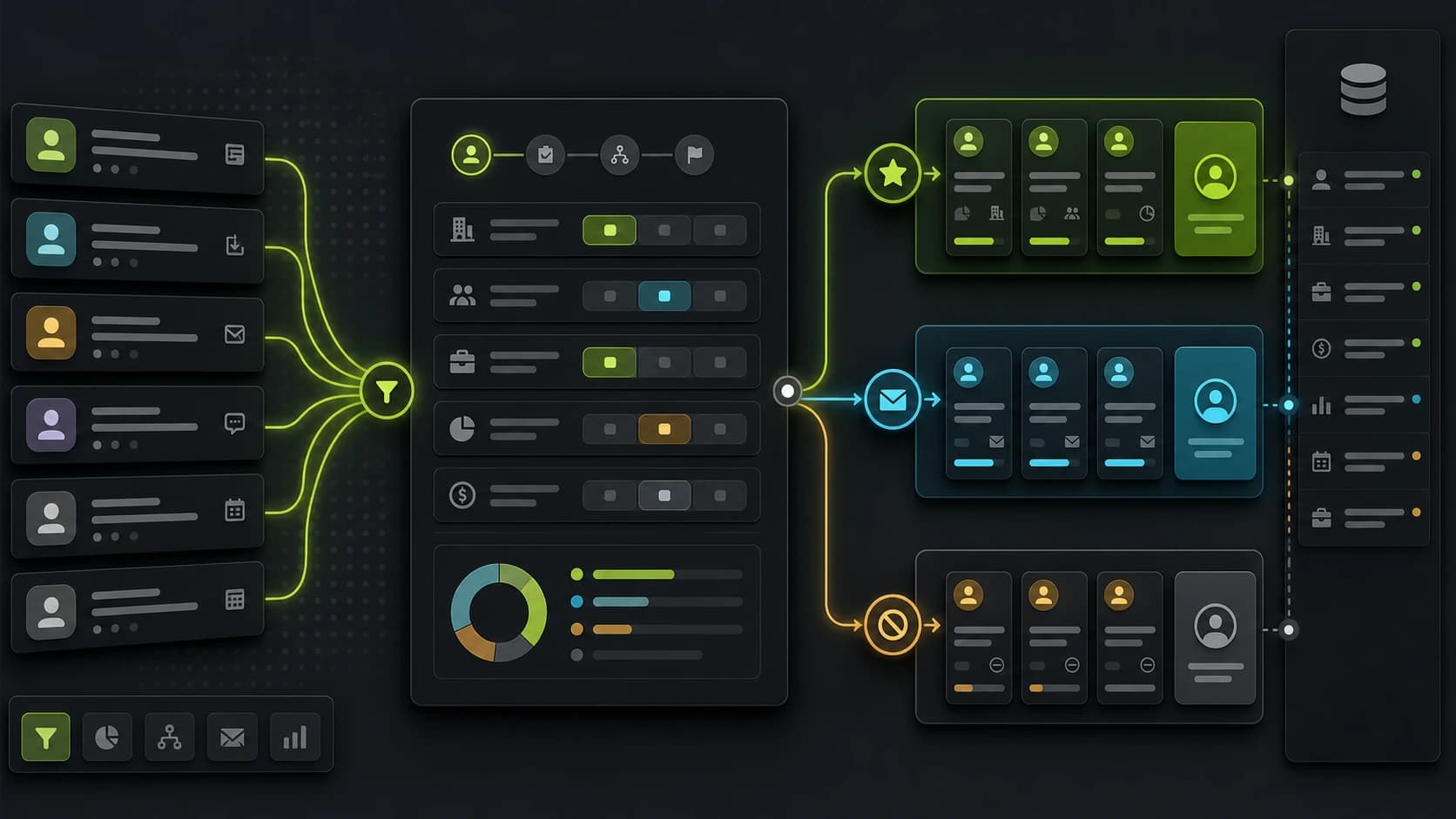
Most lead-gen funnels fail before the CRM ever gets involved. The campaign may produce cheap leads, but sales spends the week sorting people who cannot buy, are not urgent, are outside the service area, or are looking for something completely different.
The fix is not to make the form longer for everyone. The fix is to use a lead qualification form that asks the few questions that decide whether the next step should be a call, a nurture path, a quote, or a polite no-fit ending.
If too many unqualified leads are entering your CRM, qualify before the handoff.
Start from the sales decision
Before writing questions, define what sales needs to know before accepting the lead.
For high-ticket coaches, that might be:
- Current revenue or stage
- Goal
- Budget range
- Timeline
- Biggest bottleneck
For an agency audit, that might be:
- Current ad channels
- Monthly ad spend
- Tracking status
- Main problem
- Decision-maker status
For local services, that might be:
- Location
- Project type
- Urgency
- Ownership or decision power
- Contact details
The point is to avoid asking "interesting" questions. Ask decision questions.
Build the lead qualification form
A single long form makes qualification feel like admin. A multi-step flow turns it into a guided conversation. This matters most on mobile paid traffic, where the visitor is cold and attention is fragile.
The structure is simple:
- Easy intent question
- Problem or goal question
- Fit question
- Budget or timeline question
- Contact step
- Conditional ending
Put the contact step near the end. Once someone has answered three or four fit questions, they understand why contact details are needed.
For conversion-rate details, read how to reduce form abandonment on lead generation forms.
Ask budget without making it awkward
Budget questions work better when they are framed as fit, not judgment.
Weak copy:
What is your budget?
Better copy:
Which investment range would make sense if this is the right fit?
Use ranges. Ranges reduce friction and still tell sales what matters. For example:
- Under EUR 1,000
- EUR 1,000 to EUR 3,000
- EUR 3,000 to EUR 10,000
- EUR 10,000+
If the offer has a real minimum price, do not hide it. Leads below the minimum should be routed differently.
Qualify leads before the CRM
Every lead should not see the same ending.
A simple routing model:
- Qualified: create the CRM lead, show booking link, notify sales.
- Not ready: create a nurture contact or tag, avoid immediate call.
- Not a fit: skip the sales stage, show a helpful no-fit ending.
- Duplicate or spam: suppress notifications and keep the CRM clean.
This protects the sales calendar and makes ad optimization more honest. A campaign that produces 100 raw leads but only 5 qualified leads is not the same as a campaign that produces 40 raw leads and 20 qualified leads.
Keep disqualification respectful
Do not make the visitor feel rejected. A no-fit ending should be useful and clear.
Example:
Based on your answers, a strategy call is probably not the best next step yet. We put together a free checklist that will help you prepare before investing in this type of support.
The visitor gets a next step. Sales avoids a weak call. Marketing still learns which segment the campaign is attracting.
Send qualification data as structured CRM fields
Lead qualification is only useful if the data reaches the team.
Send these fields as structured CRM properties:
- Qualification status
- Budget range
- Timeline
- Primary problem
- Source campaign
- Landing page
- Funnel ending
Avoid sending everything as one long note. Structured fields let you filter, report and trigger automation.
Also send attribution fields such as UTMs, gclid and fbclid. A qualified lead with no source data is hard to optimize. Start with UTM tracking for form submissions if your CRM does not receive campaign fields today.
Measure quality, not only conversion rate
Track these metrics:
- Landing page to form start
- Form start to submission
- Submission to qualified ending
- Qualified lead to booked call
- Booked call to close
- Cost per qualified lead
Raw conversion rate is only the first layer. If a new question lowers total submissions but doubles qualified submissions, the funnel probably improved.
For paid campaigns, also track cost per qualified lead. The broad CPL number can hide a quality problem.
Example qualification flow
For a high-ticket consultant:
- What are you trying to fix right now?
- What stage is your business at?
- What have you already tried?
- Which investment range would make sense if we can help?
- When do you want to start?
- Where should we send the next steps?
Qualified leads go to the booking page. Low-budget leads get a resource. Long-timeline leads go to nurture.
Where Fluenx fits in the stack
Use Fluenx as the qualification layer between paid traffic and the CRM:
- Ad click lands on a multi-step funnel.
- The funnel captures attribution.
- The visitor answers fit questions.
- Conditional logic assigns the right ending.
- Qualified leads reach the CRM with answers and source data.
- Under-qualified leads follow a separate path.
That means the CRM receives context, not just contact details.
How Fluenx handles this
Fluenx lets you build multi-step funnels with conditional endings, per-step analytics and webhooks that include every answer plus attribution. That means sales sees not just who the lead is, but why they are worth calling.