How to improve Meta Ads lead quality with forms and CAPI
A practical guide to improving Meta Ads lead quality with better form questions, qualification routing, CRM feedback and server-side Conversions API events.
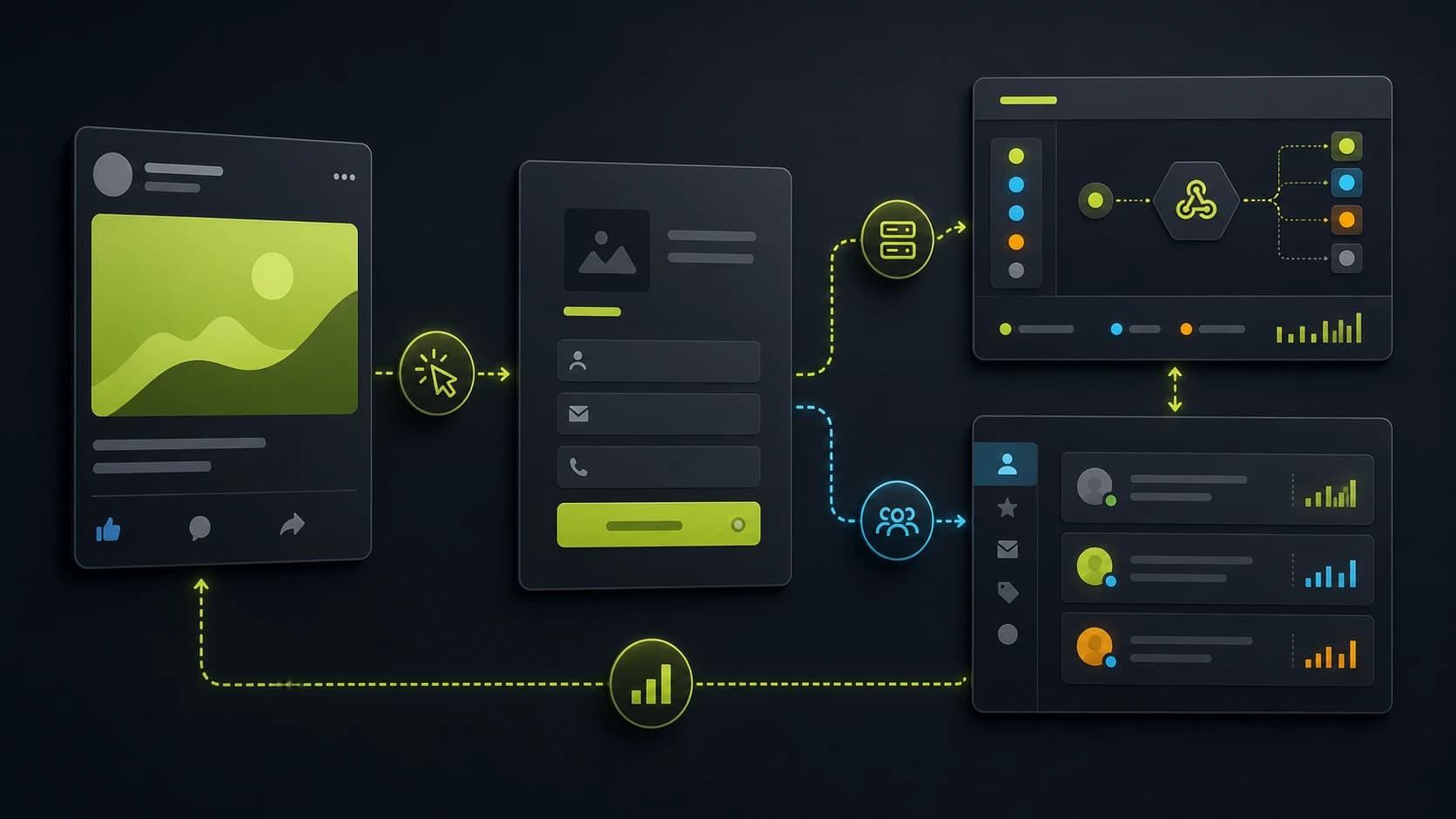
Meta Ads can generate cheap leads quickly. That is useful until the sales team opens the CRM and sees people who do not remember submitting, cannot afford the offer, or are not serious yet.
The fix is not simply "make CPL higher". The fix is to give Meta and your sales team a better definition of a good lead.
That requires three layers:
- The ad attracts the right intent.
- The form qualifies without creating unnecessary friction.
- The conversion signal tells Meta which leads are actually valuable.
Decide what a quality lead means
Before changing campaigns, write the rule. A quality lead might be someone who:
- Has the right problem.
- Matches the service area.
- Has enough budget.
- Wants to start soon.
- Is the decision maker.
- Provides reachable contact details.
Turn that rule into two or three form questions. Do not ask ten questions because the CRM has ten empty fields. Ask the questions that change the next step.
Use the ad to pre-qualify
Meta creative should not hide the real offer. If the ad only sells a free checklist, the form will attract checklist hunters. If the business sells a high-ticket service, the ad needs to set the context before the click.
Useful pre-qualification signals in ad copy:
- Who the offer is for.
- The problem it solves.
- The expected next step.
- Any real constraint, such as location, business type or stage.
- The type of outcome, not vague curiosity.
The more honest the ad is, the less the form has to fight later.
Choose the right form path
Meta supports instant forms and website forms. Instant forms can reduce friction because users stay inside Meta. Website forms give you more control over qualification, routing, tracking, page context and server-side events.
For simple high-volume campaigns, instant forms can work well. For considered purchases, agencies, consultants, audits, quotes or high-ticket offers, a website form often gives you more room to qualify before the lead reaches sales.
The practical question is not "which form is cheapest?" It is "which form produces the lowest cost per qualified lead?"
Ask qualification questions one at a time
Cold social traffic is interruption-based. A long form shown all at once creates friction before the visitor has momentum.
A better structure:
- Easy intent question.
- Problem or goal question.
- Fit question.
- Budget or timeline question.
- Contact step.
- Conditional ending.
This keeps the experience lightweight while still collecting the data that sales needs. For a deeper walkthrough, read how to reduce form abandonment on lead generation forms.
Route leads instead of treating everyone the same
Every lead should not hit the same thank-you page.
Use conditional endings:
- Qualified: show calendar or fast follow-up instructions.
- Not ready: offer a case study, checklist or nurture sequence.
- Wrong fit: give a respectful no-fit page.
This improves the user experience and protects the sales team from low-quality calls.
Capture fbclid and first-party context
When someone clicks a Meta ad, the landing URL can include fbclid. Your form should capture it on the first page view and preserve it until submission.
Also keep:
- UTMs
- Landing page
- Conversion page
- Browser event ID
- Consent state
- Form answers
- Qualification status
This data helps you understand which campaigns generate quality, not just volume. See how to capture gclid and fbclid in lead forms for the implementation pattern.
Use Meta CAPI for lead generation signals
The Meta Pixel is browser-based. Browser events can be affected by page loading issues, browser privacy controls, blockers and connectivity. Meta's Conversions API creates a direct server-side path for event data from your website, server or CRM into Meta's systems.
For lead generation forms, that usually means sending a server-side Lead event when the form submits. If you also fire the browser Pixel event, use the same event ID so Meta can deduplicate the browser and server events.
Learn the implementation details in how to set up Meta CAPI for lead generation forms and EventId deduplication between Pixel and Conversions API.
Send downstream quality back when possible
Raw lead events help. Qualified lead events help more.
If your CRM knows which leads became qualified, booked or closed, send those downstream outcomes back through the appropriate Meta workflow. Meta's lead ads guidance describes conversion leads and CRM/CAPI feedback as a way to help optimize for leads more likely to convert.
You do not need to start with a complex integration. Start by storing qualification status reliably. Then you can decide which downstream events are worth sending.
What to test first
Run these tests in order:
- Rewrite the ad so the offer and audience are explicit.
- Replace one long form with a multi-step website form.
- Add one budget, timing or fit question.
- Create separate endings for qualified and not-ready leads.
- Capture
fbclid, UTMs and consent state. - Add server-side CAPI with event ID deduplication.
Measure cost per qualified lead, booked-call rate and close rate. Raw CPL is only one layer.
How Fluenx helps
Fluenx gives Meta advertisers a website form stack built for paid traffic: multi-step funnels, qualification logic, conditional endings, attribution capture, Pixel support and native server-side Meta CAPI.
That lets you optimize Meta Ads around lead quality instead of just form volume.
Build a Meta Ads lead funnel free